
¿Puedes cambiar de DiagZone a XDiag?
Introducción
Una de las preguntas más frecuentes que recibimos de los usuarios es:
“¿Puedo cambiar de DiagZone a XDiag?”
La respuesta corta es:
Sí, en muchos casos es posible cambiar de DiagZone a XDiag.
Sin embargo, antes de realizar la transición, hay varios pasos importantes que deben completarse para garantizar que su dispositivo sea compatible y pueda prepararse correctamente para el software XDiag.
Esta guía explica todo lo que necesitas saber antes de migrar de DiagZone a XDiag.
Paso 1: Verificar la compatibilidad del dispositivo
Antes de comprar una activación de XDiag o intentar cualquier proceso de conversión, el primer paso y el más importante es verificar si tu dispositivo es compatible.
No todas las interfaces de diagnóstico son compatibles con XDiag.
Diferentes dispositivos pueden tener:
- Diferentes revisiones de hardware
- Diferentes versiones de firmware
- Diferentes cargadores de arranque
- Diferentes estructuras de números de serie
Por esta razón, la compatibilidad siempre debe comprobarse primero.
Comprueba la compatibilidad en nuestro sitio web
Recomendamos encarecidamente comprobar la compatibilidad de su dispositivo a través de nuestro sitio web antes de proceder con cualquier migración.
Esto ayuda a prevenir:
- Problemas de activación
- Problemas de hardware no compatible
- Conversiones fallidas
- Gastos innecesarios
Nunca asuma que un dispositivo compatible con DiagZone será automáticamente compatible con XDiag.
Paso 2: Realice una prueba EOBD de XDiag
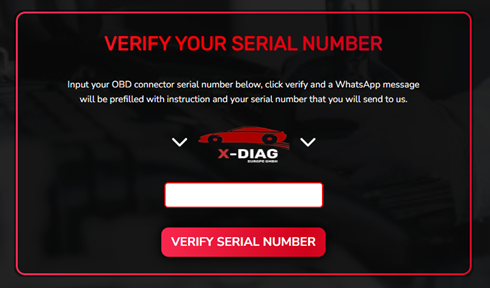
Para ayudar a los usuarios a determinar la compatibilidad, ofrecemos una prueba EOBD de Xdiag.
La prueba EOBD nos permite verificar información importante sobre su dispositivo antes de que comience el proceso de conversión.
Esta prueba ayuda a identificar:
- Compatibilidad del dispositivo
- Estado del hardware
- Información del firmware
- Opciones de conversión compatibles
Se recomienda encarecidamente completar la prueba EOBD antes de comprar XDiag, ya que puede ahorrar mucho tiempo durante el proceso de migración.
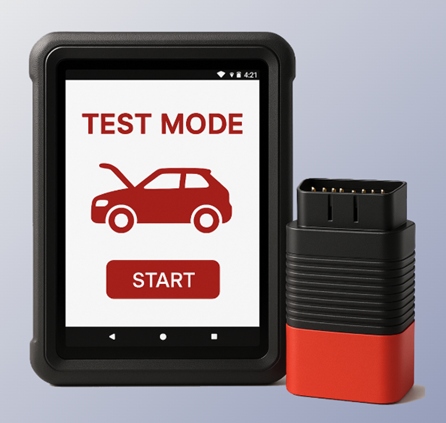
Paso 3: Flashee el dispositivo con los archivos de arranque de XDiag
Una vez confirmada la compatibilidad, el siguiente paso es preparar el dispositivo para XDiag.
Esto requiere flashear el dispositivo con los archivos adecuados Archivos de arranque de XDiag.
Los archivos de arranque son esenciales porque permiten que el dispositivo se comunique correctamente con el ecosistema XDiag.
Sin los archivos de arranque correctos instalados, es posible que el dispositivo no funcione correctamente con el software XDiag.
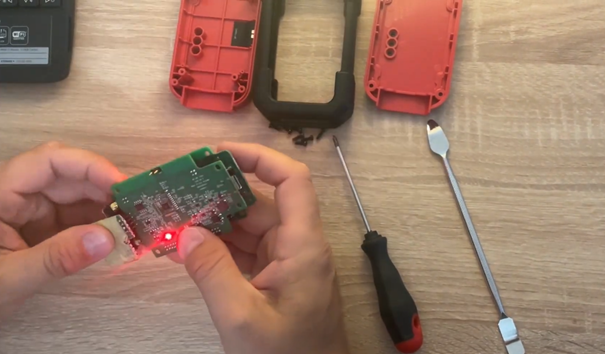
Paso 4: Utilice un programador J-Link
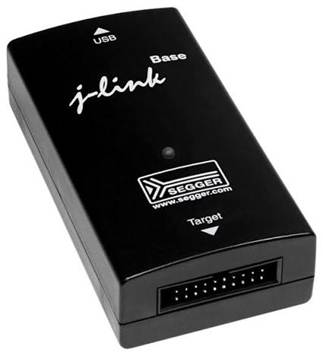
Para instalar los archivos de arranque de XDiag, se requiere un programador J-Link.
El programador J-Link se utiliza para acceder al dispositivo a nivel de hardware y escribir los archivos de arranque necesarios en la memoria.
Este proceso se conoce comúnmente como:
- Flasheo de arranque
- Preparación del firmware
- Conversión del dispositivo
El procedimiento exacto puede variar según el modelo del dispositivo y la revisión del hardware.
Por qué es necesario el flasheo
Muchos usuarios se preguntan por qué es necesario realizar el flasheo.
La razón es sencilla:
DiagZone y XDiag pueden utilizar diferentes métodos de autenticación, estructuras de firmware y protocolos de comunicación.
Para garantizar un funcionamiento correcto dentro del ecosistema XDiag, los dispositivos compatibles deben prepararse utilizando la configuración de arranque XDiag correcta.
Este proceso ayuda a garantizar:
- Comunicación estable
- Activación correcta
- Funcionalidad de software confiable
- Compatibilidad total con las funciones compatibles de XDiag
Aspectos importantes que debe conocer antes de cambiar
Antes de convertir su dispositivo, tenga en cuenta lo siguiente:
Verifique siempre la compatibilidad primero
La compatibilidad es el factor más importante de todo el proceso.
Complete la prueba EOBD
La prueba EOBD proporciona información valiosa y ayuda a evitar conversiones no compatibles.
Utilice los archivos de arranque correctos
La instalación de archivos incorrectos puede provocar problemas en el dispositivo o un fallo en la activación.
Utilice un programador J-Link
Se requiere un programador J-Link para flashear los archivos de arranque de XDiag en dispositivos compatibles.
Beneficios de cambiar a XDiag
Muchos usuarios eligen XDiag por su:
- Interfaz de usuario moderna
- Flujo de trabajo pensado para técnicos
- Amplia cobertura de vehículos
- Funciones de diagnóstico avanzadas
- Actualizaciones periódicas de software
Para los talleres que buscan una plataforma de diagnóstico profesional y fácil de usar, XDiag se ha convertido en una opción cada vez más popular.
Conclusión
El cambio de DiagZone a XDiag es posible para muchos dispositivos compatibles, pero el proceso siempre debe comenzar con una comprobación de compatibilidad.
Lista de verificación rápida de migración
✅ Verifique la compatibilidad del dispositivo en nuestro sitio web
✅ Complete la prueba EOBD de XDiag
✅ Confirme la compatibilidad con la conversión
✅ Flashee el dispositivo con los archivos de arranque de XDiag
✅ Utilice un programador J-Link durante el proceso de flasheo
✅ Active y disfrute del software XDiag
Siguiendo estos pasos, puede garantizar una transición fluida de DiagZone a XDiag y evitar problemas comunes de compatibilidad.