

Comment préparer un adaptateur OBD2 pour fonctionner avec l’application XDiag
Introduction
Si vous prévoyez d’utiliser l’application XDiag, l’achat d’un adaptateur OBD2 compatible ne suffit pas toujours.
De nombreuses interfaces de diagnostic nécessitent une préparation supplémentaire avant de pouvoir communiquer correctement avec la plateforme XDiag. Selon le modèle d’adaptateur, cela peut inclure une vérification de compatibilité, des tests et le flashage des fichiers boot XDiag appropriés.
Dans ce guide, nous expliquerons le processus de préparation d’un adaptateur OBD2 pour une utilisation avec XDiag ainsi que les étapes à suivre avant d’acheter une activation.
Étape 1 : Vérifier la compatibilité de l’adaptateur
Avant toute autre étape, vous devez vérifier si votre adaptateur OBD2 est compatible avec XDiag.
Toutes les interfaces de diagnostic ne peuvent pas être utilisées avec la plateforme XDiag.
La compatibilité peut dépendre de :
- Version du matériel
- Modèle de l’appareil
- Version du firmware
- Structure du numéro de série
- Jeu de composants interne et chargeur de démarrage
En raison de ces différences, deux adaptateurs qui semblent identiques extérieurement peuvent ne pas offrir la même compatibilité.
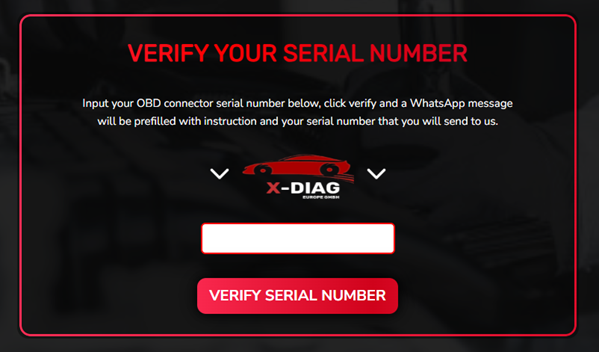
Vérifiez d’abord la compatibilité
Avant d’acheter une licence XDiag ou de tenter toute modification, vérifiez toujours la compatibilité via notre site web.
C’est la méthode la plus sûre pour déterminer si votre adaptateur peut être préparé pour XDiag.
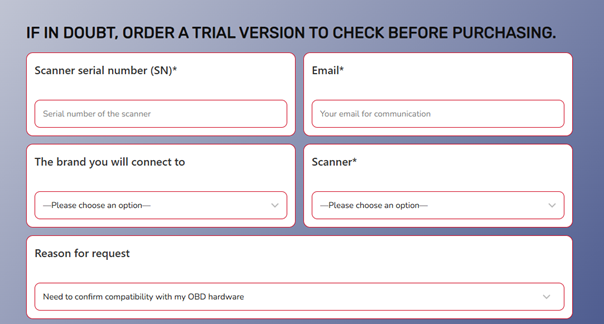
Étape 2 : Effectuer un test EOBD Xdiag
Pour confirmer la compatibilité, nous proposons un test EOBD Xdiag.
Ce test aide à identifier :
- Informations sur le matériel de l’adaptateur
- Détails du firmware
- Statut de compatibilité
- Éligibilité à la conversion
Le test EOBD est l’une des étapes les plus importantes du processus de préparation et doit être effectué avant l’achat d’une activation.
En effectuant d’abord le test, vous pouvez éviter les problèmes de compatibilité et les dépenses inutiles.
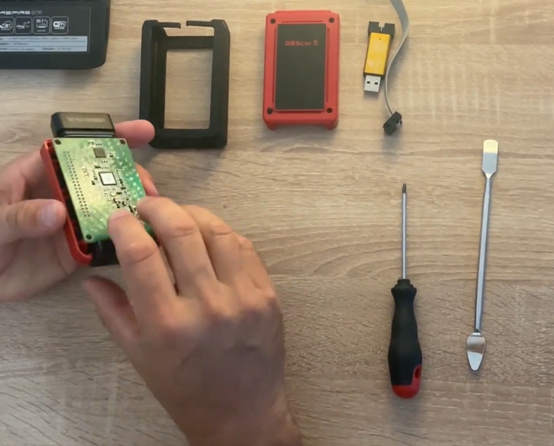
Étape 3 : Flasher l’adaptateur avec les fichiers de démarrage XDiag
Une fois la compatibilité confirmée, l’adaptateur doit être préparé pour fonctionner dans l’écosystème XDiag.
Cela nécessite de flasher l’appareil avec les fichiers appropriés Fichiers de démarrage XDiag.
Les fichiers de démarrage sont responsables de l’activation de la communication entre l’adaptateur et l’application XDiag.
Sans la configuration de démarrage correcte, l’adaptateur peut :
- Échouer à se connecter
- Ne pas s’activer correctement
- Rencontrer des problèmes de communication
- Ne pas pouvoir fonctionner avec le logiciel XDiag
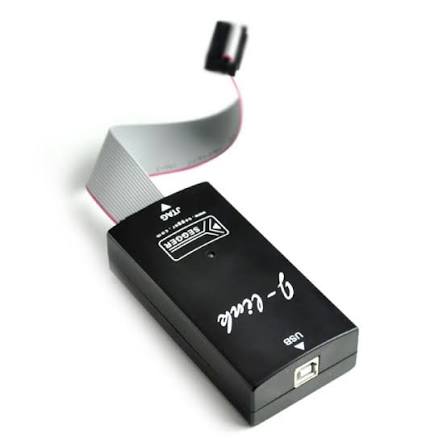
Étape 4 : Utilisez un programmateur J-Link
Pour installer les fichiers de démarrage XDiag, un programmateur J-Link est requis.
Le programmateur J-Link permet d’accéder à la mémoire de l’adaptateur et est utilisé pour écrire les fichiers de démarrage nécessaires.
Ce processus est généralement appelé :
- Flashage de l’appareil
- Programmation du démarrage
- Préparation du firmware
La procédure exacte dépend du modèle d’adaptateur et de la révision matérielle.
Pourquoi le flashage est-il nécessaire ?
De nombreux utilisateurs se demandent pourquoi un adaptateur compatible doit tout de même être flashé.
La raison est que XDiag repose sur des configurations de démarrage et des méthodes d’authentification spécifiques.
Même si un appareil est physiquement compatible, il peut ne pas communiquer correctement avec XDiag tant que les fichiers de démarrage appropriés ne sont pas installés.
Le flashage garantit :
- Communication correcte avec XDiag
- Fonctionnement stable
- Activation correcte
- Compatibilité complète avec les fonctions prises en charge
Types d’adaptateurs couramment pris en charge
Selon la compatibilité matérielle, XDiag peut prendre en charge diverses interfaces de diagnostic professionnelles.
Cependant, la prise en charge est toujours déterminée par :
- Compatibilité de l’appareil
- Vérification EOBD réussie
- Installation correcte du fichier de démarrage
C’est pourquoi la compatibilité doit toujours être confirmée avant l’achat d’une activation logicielle.
Erreurs courantes à éviter
Achat d’une activation avant le test
Effectuez toujours d’abord la vérification de compatibilité et le test EOBD.
Supposer que tous les adaptateurs sont compatibles
De nombreux adaptateurs se ressemblent, mais utilisent un matériel interne différent.
Ignorer le processus de flashage
Même un adaptateur compatible peut nécessiter les fichiers de démarrage XDiag avant de pouvoir fonctionner correctement.
Utilisation de fichiers de démarrage incorrects
L’installation de fichiers incorrects peut entraîner des problèmes d’activation et de communication.
Avantages de l'utilisation de XDiag
Une fois correctement préparé, votre adaptateur peut profiter des puissantes fonctionnalités offertes par la plateforme XDiag, notamment :
- Diagnostic complet du système
- Surveillance des données en temps réel
- Tests actifs
- Fonctions de service
- Adaptations ECU
- Fonctions de codage (selon le véhicule)
- Couverture multi-marques des véhicules
Cela fait de XDiag une solution attrayante pour les ateliers, les techniciens mobiles et les passionnés d'automobile expérimentés.
Conclusion
La préparation d’un adaptateur OBD2 pour l’application XDiag ne consiste pas uniquement à installer le logiciel.
Liste de préparation
✅ Vérifiez la compatibilité sur notre site web
✅ Effectuez le test EOBD XDiag
✅ Confirmez que votre adaptateur est pris en charge
✅ Flashez l’adaptateur avec les fichiers de démarrage XDiag
✅ Utilisez un programmateur J-Link pour la programmation
✅ Activez et commencez à utiliser XDiag
En suivant ces étapes, vous vous assurez que votre adaptateur est correctement configuré et prêt à offrir une expérience de diagnostic XDiag stable et fiable.