
Você pode mudar do DiagZone para o XDiag?
Introdução
Uma das perguntas mais comuns que recebemos dos usuários é:
“Posso mudar do DiagZone para o XDiag?”
A resposta curta é:
Sim, em muitos casos é possível mudar do DiagZone para o XDiag.
No entanto, antes de realizar a transição, há várias etapas importantes que devem ser concluídas para garantir que seu dispositivo seja compatível e possa ser preparado com sucesso para o software XDiag.
Este guia explica tudo o que você precisa saber antes de migrar do DiagZone para o XDiag.
Etapa 1: Verificar a compatibilidade do dispositivo
Antes de adquirir uma ativação XDiag ou tentar qualquer processo de conversão, o primeiro e mais importante passo é verificar se o seu dispositivo é compatível.
Nem todas as interfaces de diagnóstico são compatíveis com o XDiag.
Diferentes dispositivos podem ter:
- Diferentes revisões de hardware
- Diferentes versões de firmware
- Diferentes bootloaders
- Diferentes estruturas de números de série
Por esse motivo, a compatibilidade deve sempre ser verificada primeiro.
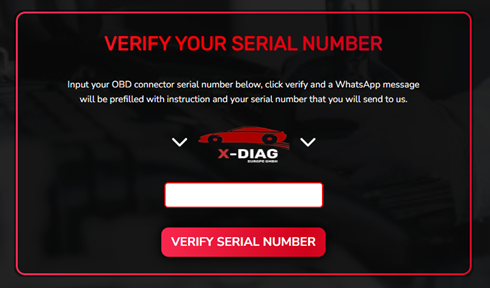
Verifique a compatibilidade em nosso site
Recomendamos fortemente verificar a compatibilidade do seu dispositivo por meio do nosso site antes de prosseguir com qualquer migração.
Isso ajuda a evitar:
- Problemas de ativação
- Problemas com hardware não compatível
- Conversões malsucedidas
- Despesas desnecessárias
Nunca presuma que um dispositivo compatível com DiagZone será automaticamente compatível com o XDiag.
Etapa 2: Realize um teste EOBD XDiag
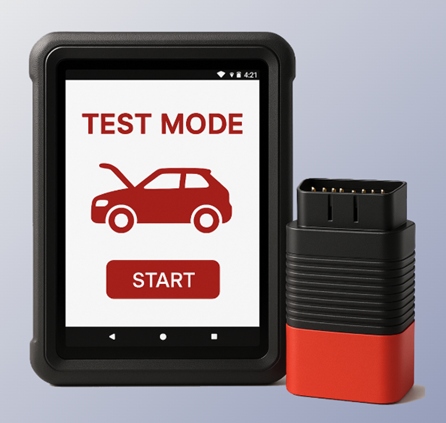
Para ajudar os usuários a determinar a compatibilidade, oferecemos um Teste EOBD Xdiag.
O teste EOBD nos permite verificar informações importantes sobre seu dispositivo antes do início do processo de conversão.
Este teste ajuda a identificar:
- Compatibilidade do dispositivo
- Status do hardware
- Informações do firmware
- Opções de conversão compatíveis
É altamente recomendável concluir o teste EOBD antes de comprar o XDiag, pois isso pode economizar um tempo significativo durante o processo de migração.
Etapa 3: Faça o flash do dispositivo com os arquivos de inicialização do XDiag
Depois que a compatibilidade for confirmada, o próximo passo é preparar o dispositivo para o XDiag.
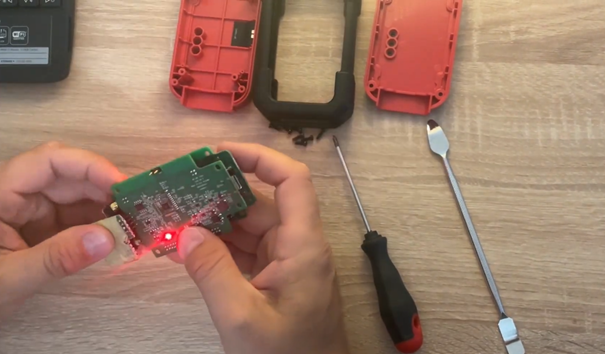
Isso requer fazer o flash do dispositivo com os arquivos apropriados Arquivos de inicialização do XDiag.
Os arquivos de inicialização são essenciais porque permitem que o dispositivo se comunique corretamente com o ecossistema XDiag.
Sem os arquivos de inicialização corretos instalados, o dispositivo pode não funcionar corretamente com o software XDiag.
Etapa 4: Use um programador J-Link
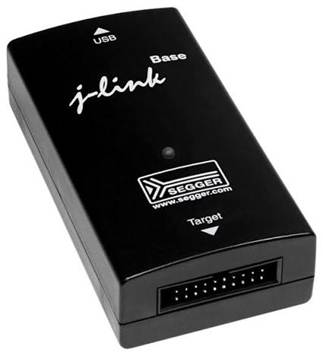
Para instalar os arquivos de inicialização do XDiag, é necessário um programador J-Link.
O programador J-Link é usado para acessar o dispositivo em nível de hardware e gravar os arquivos de inicialização necessários na memória.
Esse processo é comumente chamado de:
- Flash do boot
- Preparação do firmware
- Conversão do dispositivo
O procedimento exato pode variar dependendo do modelo do dispositivo e da revisão de hardware.
Por que o flash é necessário
Muitos usuários se perguntam por que o flash é necessário.
O motivo é simples:
O DiagZone e o XDiag podem usar diferentes métodos de autenticação, estruturas de firmware e protocolos de comunicação.
Para garantir o funcionamento adequado dentro do ecossistema XDiag, os dispositivos compatíveis devem ser preparados usando a configuração de inicialização XDiag correta.
Esse processo ajuda a garantir:
- Comunicação estável
- Ativação correta
- Funcionalidade confiável do software
- Compatibilidade total com os recursos XDiag compatíveis
Coisas importantes que você precisa saber antes de mudar
Antes de converter seu dispositivo, tenha em mente o seguinte:
Sempre verifique a compatibilidade primeiro
A compatibilidade é o fator mais importante de todo o processo.
Conclua o teste EOBD
O teste EOBD fornece informações valiosas e ajuda a evitar conversões não compatíveis.
Use os arquivos de inicialização corretos
A instalação de arquivos incorretos pode resultar em problemas no dispositivo ou falha na ativação.
Use um programador J-Link
É necessário um programador J-Link para fazer o flash dos arquivos de inicialização do XDiag em dispositivos compatíveis.
Benefícios de migrar para o XDiag
Muitos usuários escolhem o XDiag por seu:
- Interface de usuário moderna
- Fluxo de trabalho amigável para técnicos
- Ampla cobertura de veículos
- Funções avançadas de diagnóstico
- Atualizações regulares de software
Para oficinas que procuram uma plataforma de diagnóstico profissional e fácil de usar, o XDiag se tornou uma escolha cada vez mais popular.
Conclusão
A mudança do DiagZone para o XDiag é possível para muitos dispositivos compatíveis, mas o processo deve sempre começar com uma verificação de compatibilidade.
Lista de verificação rápida de migração
✅ Verifique a compatibilidade do dispositivo em nosso site
✅ Conclua o teste EOBD XDiag
✅ Confirme o suporte para conversão
✅ Faça o flash do dispositivo com os arquivos de inicialização do XDiag
✅ Use um programador J-Link durante o processo de flash do dispositivo
✅ Ative e aproveite o software XDiag
Seguindo estas etapas, você pode garantir uma transição tranquila do DiagZone para o XDiag e evitar problemas comuns de compatibilidade.